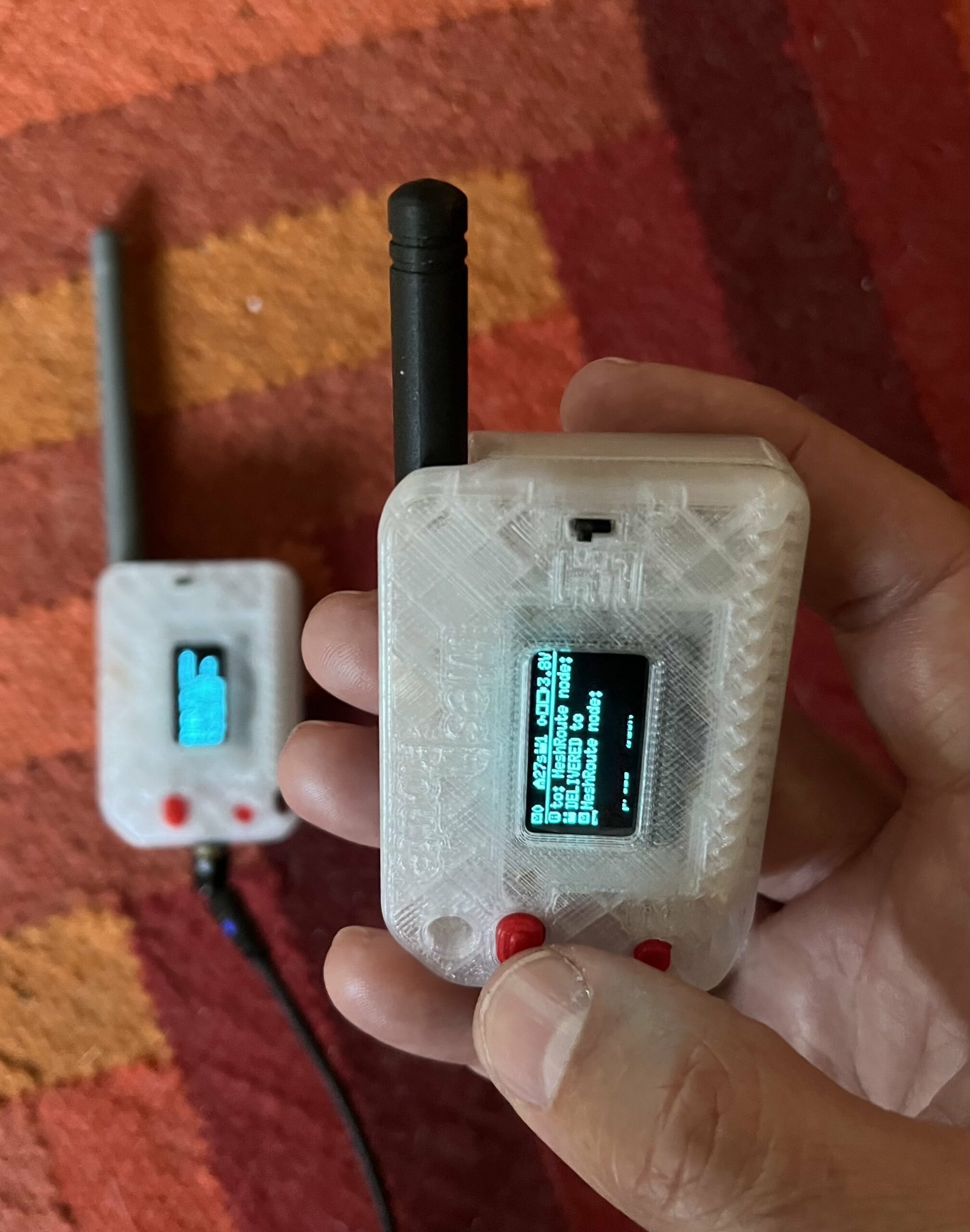
A radio protocol becomes a useful product only when a person can operate it without living in a serial console. MeshRoute is therefore growing two complementary client interfaces: a native iPhone companion for full conversations and configuration, and a compact onboard interface for the Heltec WiFi LoRa 32 V3.
They solve different problems. The phone has space for contacts, message history, maps, and detailed network state. The Heltec has a 128×64 display and one button, but it is always attached to the radio and can remain useful when taking out a phone is inconvenient. The design is not trying to force both devices into the same shape.
The iPhone companion: the full human interface
The MeshRoute companion is a native SwiftUI application. It does not turn the iPhone itself into a LoRa radio. Instead, it connects over Bluetooth Low Energy to a nearby MeshRoute node, which handles all radio communication.
The connection uses a Nordic UART Service-compatible Bluetooth transport. Commands travel from the app to the node as compact text lines, while the node returns newline-delimited JSON events. This deliberately simple boundary is shared with the firmware’s console command layer, while the app keeps the user-facing details—names, contacts, conversations, and local history—on the phone.
The current app is organized around four areas:
- Messages for direct-message threads and channel conversations.
- Contacts for the human-readable identity book and QR-based contact exchange.
- Mesh for network and team information, including team sharing and joining flows.
- Device for connection state, identity, routes, airtime limits, configuration, and diagnostics.
The message model is designed for an intermittent connection. Outgoing messages can wait in a local outbox and drain when the phone reconnects. The app keeps its own durable archive, de-duplicates messages pulled from the node, tracks delivery state, and can notify the user about a new direct message received while the app is not in the foreground.
Contact QR codes help two people exchange public identities in person. Team QR codes are a more sensitive operation because they can contain the material needed to join an encrypted team; the interface therefore places sharing behind an explicit reveal and warns that the QR is private.
The Bluetooth boundary today
The real Bluetooth companion transport currently runs on the XIAO nRF52840 target. It requires a paired, encrypted link before the command channel can be used. The app has already exchanged direct messages and channel posts with real test hardware, and it also has a mock-node mode for developing screens without a radio.
The Heltec V3 build does not currently expose this phone-facing Bluetooth transport. Its ESP32-side BLE implementation is intentionally an inert stub for now. That makes the Heltec interface described below a separate client surface, not a second way for the iPhone app to connect.
Heltec V3: a field interface on the radio
The Heltec WiFi LoRa 32 V3 combines an ESP32-S3, an SX1262 LoRa radio, a small SSD1306 OLED, and a user button. MeshRoute now has a board-specific display driver plus a board-independent interface model built for those constraints.
The onboard interface provides status, team, inbox, and send screens. It can show the node and team identity, recent direct-message and channel activity, a bounded teammate list, and compact delivery outcomes. A short press moves through screens or list rows. A double press activates the selected item. Because there is no keyboard, direct replies and team-channel posts use a small, deliberate set of canned messages.
A long press is reserved for the emergency flow. The interface arms before it fires, can be cancelled before commitment, and uses bounded retries. Outcomes such as “picked up,” “not heard,” or “reply” are tied to evidence from the specific transmission instead of any unrelated network activity. This is careful engineering around a high-consequence interaction, but it is still under test and must not yet be treated as a certified safety feature.
Keeping the display from disturbing the radio
The screen is not allowed to become the most demanding part of the node. The OLED is painted in small page-buffered chunks rather than as one large blocking transfer. Rendering waits for an idle point in the radio work, visible updates are throttled, and the display blanks after inactivity. The separation between the pure interface model and the Heltec-specific drawing code also makes gesture and state behavior testable without the board attached.
What is still unfinished
Both clients are active development work. The iOS app still needs release preparation and remaining lifecycle work such as a more complete long-lived Bluetooth session; firmware update support is also planned rather than finished.
On the Heltec V3, the current battery reader is deliberately unavailable, so the display shows “–” instead of inventing a plausible voltage. The durable inbox storage backend for the Heltec is also still pending. The interface code can render inbox rows, but the hardware cannot yet promise a persistent message history across restarts.
That honesty is part of the development process. A visible placeholder is better than a confident but false value, and a clearly described limitation is better than presenting a prototype as a finished product.
One network, two ways to use it
The long-term role of the iPhone companion is depth: full text entry, contact management, history, configuration, and a clear view of the surrounding mesh. The role of the Heltec interface is immediacy: glance at status, see who is present, inspect recent activity, and perform a few important actions directly on the radio.
Neither client is the network. MeshRoute continues to carry traffic without a phone, cloud service, or central account. These interfaces simply make that network accessible in two different field situations. I will keep documenting both as they move through hardware validation toward the first public release.
Follow the project status or inspect the current source on GitHub.